
Balances
The Balances module enables to view and manage all your organization’s bank accounts from a single, unified dashboard.
Overview
The balances module provides a consolidated view of the organization’s financial accounts across multiple banks. Connect accounts via supported bank APIs or add accounts manually. In addition to monitoring balances, track transactions across all linked accounts, providing a comprehensive view of the organization’s financial activity.
We have partnered with multiple banks across the globe to provide you with the best visibility. Integrate your banks seamlessly in just a few clicks to start viewing all your transactions on a single dashboard
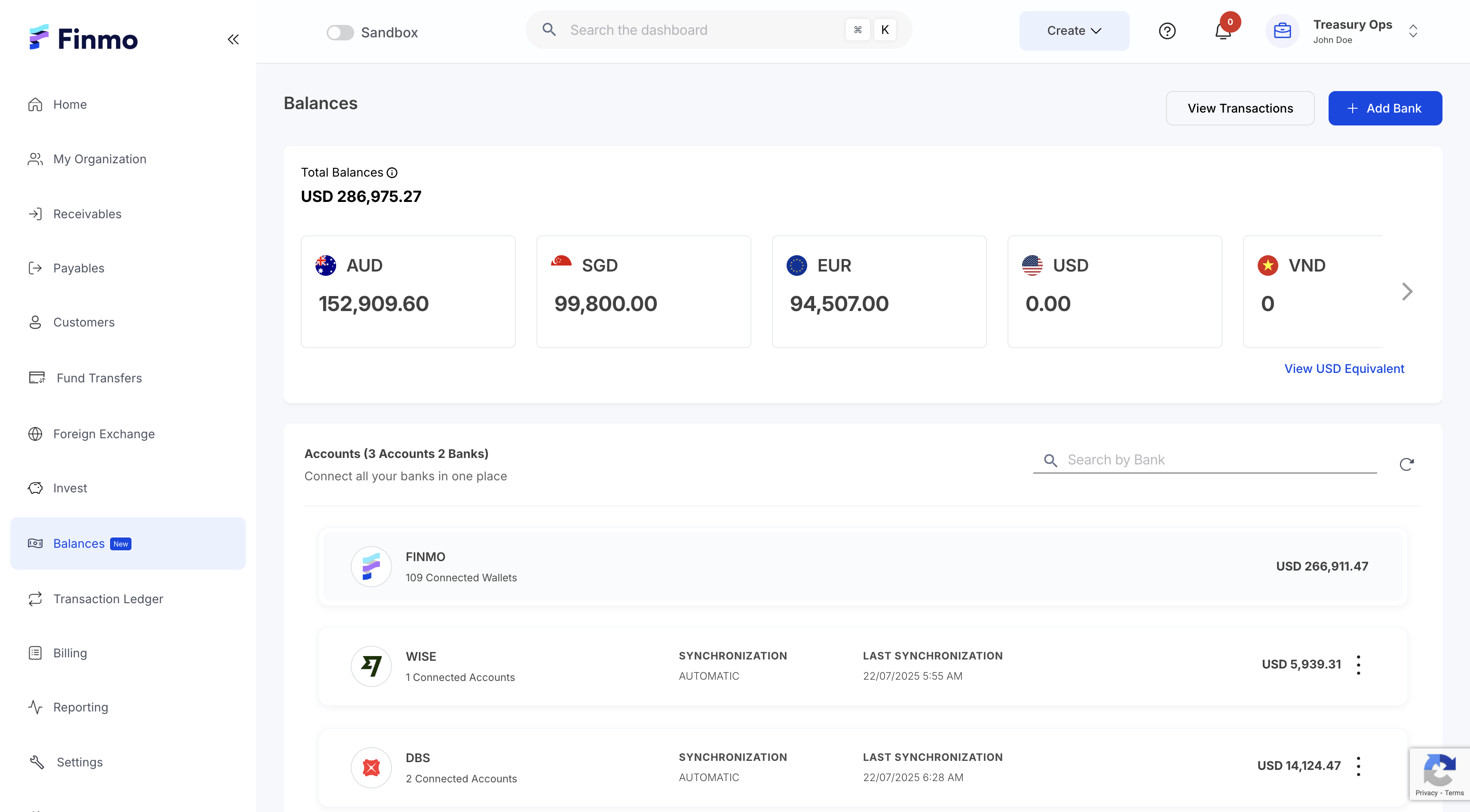
Balances dashboard
Key Features
-
Link multiple bank accounts through API integrations for real-time data access. Banks that aren’t supported via API can be added manually by entering the required bank details in just a few clicks. View transactions across all added banks on a single unified dashboard for clear visibility of all your cash flows. Upload bank statements in CSV format, ensuring a complete and unified financial overview.Multi-Bank Connectivity
View balances in the original currency held within each account. Additionally, Finmo provides a consolidated view by converting all balances into the chosen base currency using the latest exchange rates, offering a clear picture of overall funds across currencies. -
Easily manage multiple accounts under a single bank from a single dashboard. Connect or disconnect individual accounts within a bank at your convenience, ensuring flexibility and control over the financial setup.Account Management
You can now view your balances in both native currencies and a single display currency. This update combines all your multi-currency transactions into one easy-to-understand view, making it simpler to track your global cash flow and manage payments across different regions. -
Access detailed transaction history for individual bank accounts or opt for a consolidated view of all transactions across all linked accounts. This flexibility helps in drilling down into specific account activity or gaining a comprehensive overview of your business's cash flow, helping with reconciliation, financial planning, and decision-making.Flexible transaction views -
You can easily add your bank by uploading a bank statement in CSV, PDF or image format (JPG/JPEG), or by uploading a CAMT.053 or MT.940 file. Finmo automatically reads the statement, extracts the required details, and imports all transactions into your account - giving you a clear, organized view of your cash flow with zero manual work.Seamless Bank Statement Upload -
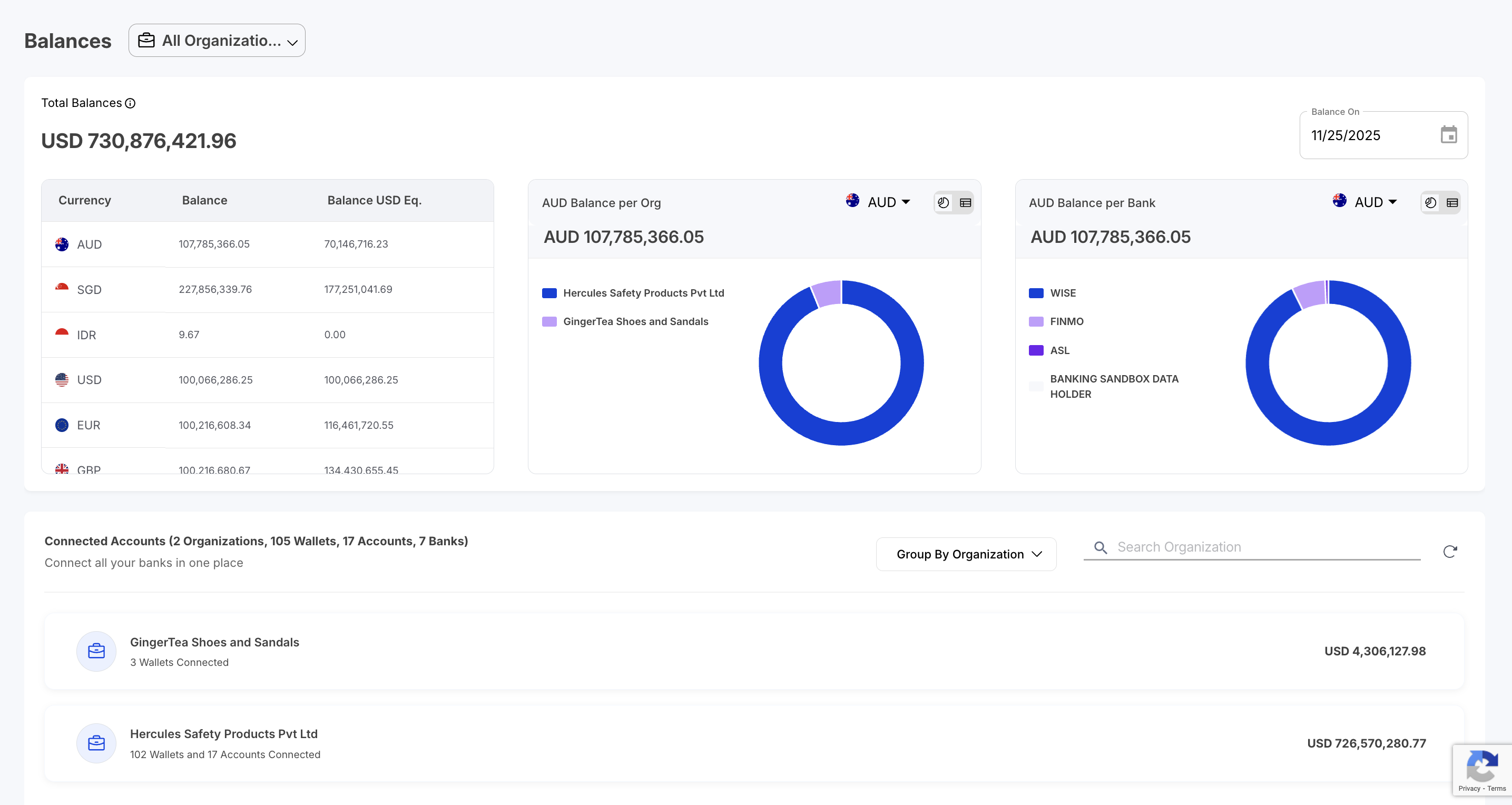
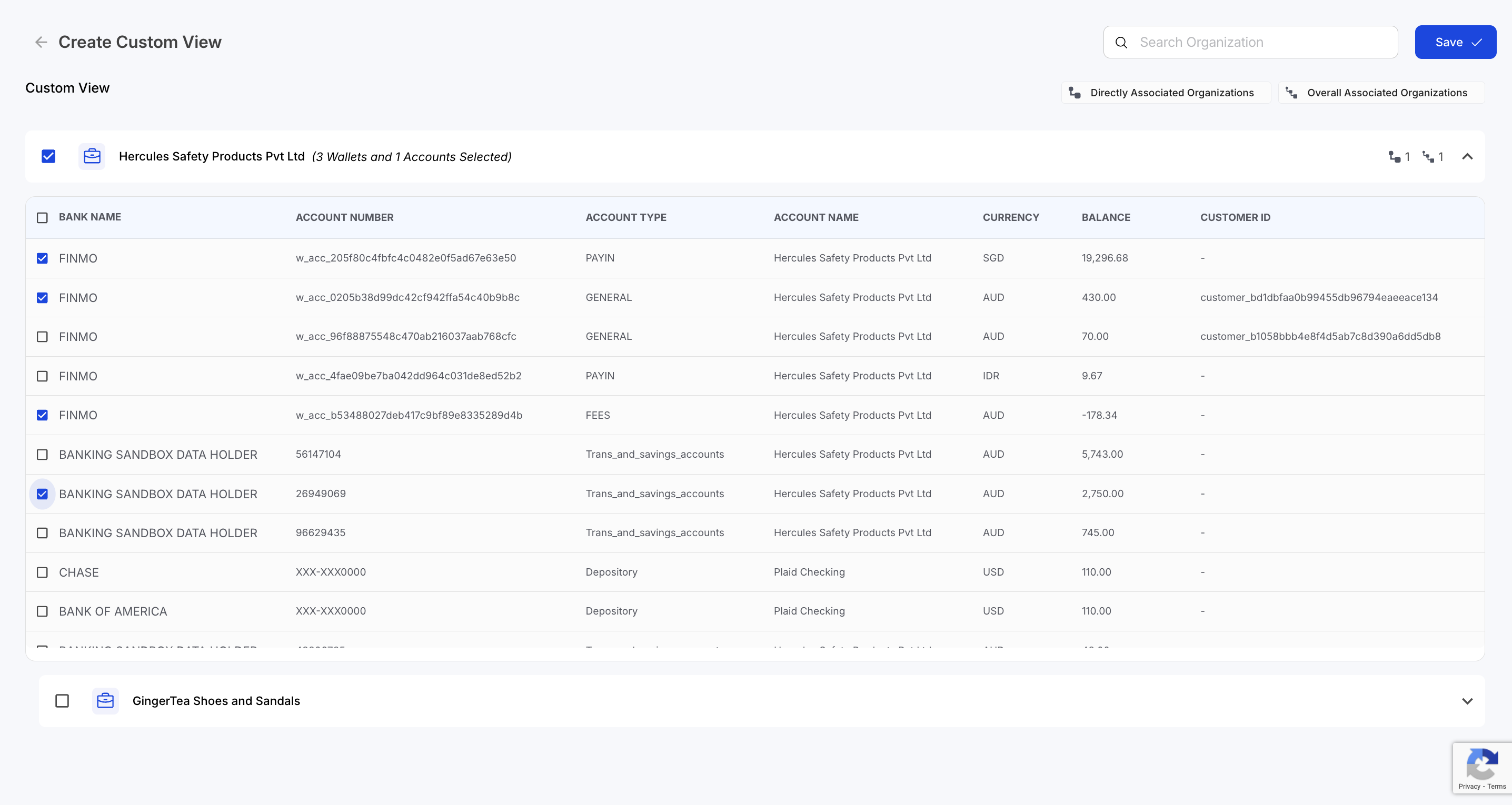
This feature allows users to configure how consolidated balances are calculated within their organizational hierarchy. Users can select which organizations, Finmo Wallets, currencies, banks, and bank accounts should be included in the balance computation. Balance data can be viewed using different grouping options, including by organization, bank, or currency. The module also provides analytics and visualizations, such as donut charts and table views, to display balance distribution by bank and currency, as well as by organization and currency. These options help users review how funds are allocated across entities and currencies within their setup.Multi - Organization Setup
For further assistance, contact your account manager or reach out to our support team at [email protected]
Updated 11 months ago